Skip to content

Mstoic

  • Home
  • Start Here!
  • Best Deals
  • Facebook Tricks
  • Privacy
  • Resources
  • TOC
  • Tools
    • Web Tools
      • Stop Watch
      • QR Code Generator
      • Adsense Code Converter
      • Blogger Sitemap Generator
      • Difference Between Two Texts
      • Vacation Checklist
      • Twitter Symbols
      • Count Down
    • Investment
      • SIP Calculator
      • Power of Compounding
      • PPF Calculator
      • FD Calculator
  • About Us

Rainmeter – Best Desktop Cusomization Tool

Editorial Team | September 19, 2011June 29, 2013 | Customization |

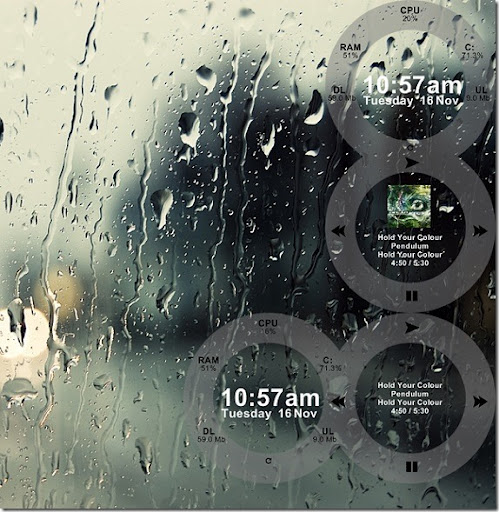
Bored with your desktop , want some cool stuff . Try Rainmeter. It is a desktop customization tool which is not only the best but has unlimited themes to customize your desktop. What’s more, you need not add components from a single theme. If you need clock from one theme, and picture slider from other, this can be also done with rainmeter.
ALSO SEE : Change Windows 7 Login Screen
figures_for_rainmeter_by_binarycon-d31mnu2

Rainmeter has customizable skins , like memory and batter power , RSS Feeds , Weather Forecasts , Beautiful Clocks right on your desktop. Some Skins can even record your notes and your to-do lists, can launch your favorite apps with a single click and can even control the music you play.


Rainmeter is open source software for Windows XP/Vista/7 distributed free of charge.


Download Rainmeter


For Skins and Customization

Previous Post

Free eBooks - All The Places To Search For Free eBooks

by Editorial Team

Next Post

Transform Windows 7 To Mac OS - Transformation Pack

by Editorial Team

Recommended Next
Get Tabbed Browsing in Windows Explorer Same as That in Google Chrome

Your Comment Cancel reply

Follow Us

Like us Follow us Follow us

Categories

  • Tricks (93)
  • Facebook (83)
  • Tips (76)
  • Windows (67)
  • Wordpress (39)
  • Android (38)
  • Internet (33)
  • Antivirus (30)
  • How To (29)
  • Webmasters (25)
  • Customization (25)
  • Downloads (21)
  • Utilities (21)
  • Gmail (20)
  • Windows 7 (19)

Related Articles

  • Reverse a String using StringBuilder